A bar chart saved as a PNG in a folder
Write code · Medium · §2.4 Finishing and saving a single chart
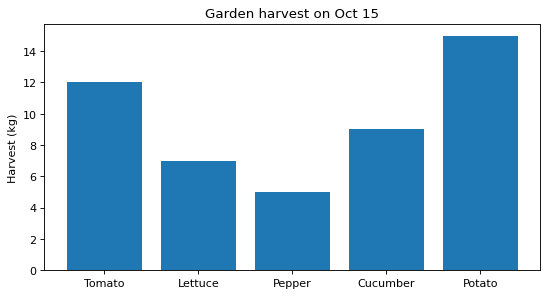
Draw a bar chart of the harvest of each crop from the school garden and save it to a file. The title is Garden harvest on Oct 15, the y-axis label is Harvest (kg), and the figure size is 8 inches wide and 4 inches tall.
Create a charts folder inside the folder where the code runs, and save the figure in it as garden.png with a resolution of dpi=120. Grading checks the saved file's name and its width and height in pixels, so do not use bbox_inches.
Starter code
import matplotlib.pyplot as plt
from pathlib import Path

crops = ["Tomato", "Lettuce", "Pepper", "Cucumber", "Potato"]
harvest = [12, 7, 5, 9, 15]

# Write your code here
Solve this problem in your browser
Python runs in your browser and checks your answer right away. Hints and the answer are on the problem page.